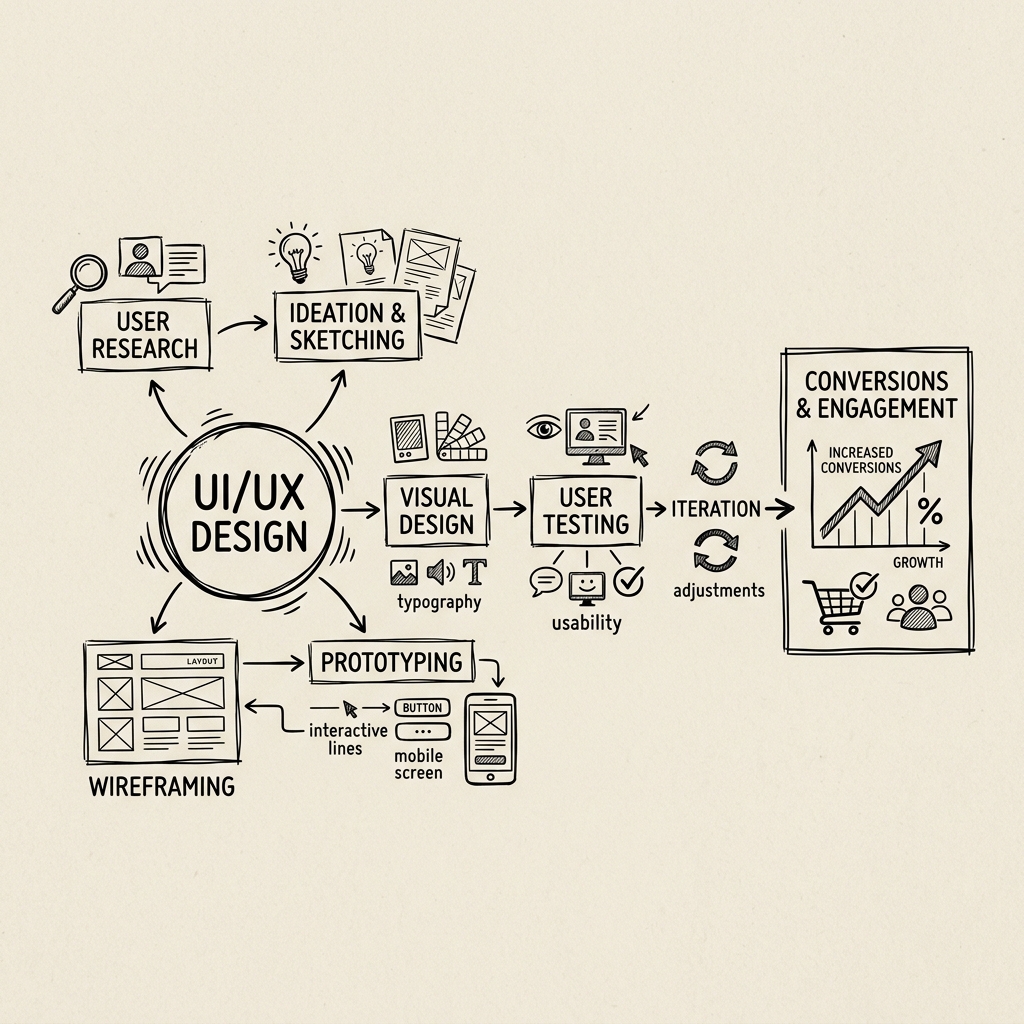
UI/UX Design Principles That Drive Better Conversions
Discover how thoughtful design can improve user experience and increase conversion rates on your website or application.
Design is often the first thing users notice and the last thing they think about when it’s done well. A truly effective interface disappears — it puts the content, the product, and the action front and center, while the design quietly does its job in the background.
This is especially critical in conversion-focused environments. Every pixel, every interaction, every moment of friction or clarity has a measurable effect on whether a user takes the action you’re hoping for.
Reducing Cognitive Load
The brain has a limited capacity for decision-making. Good UI/UX honors that constraint. When users are presented with too many choices, too much text, or layouts that require effort to decode, they disengage.
Practical applications:
- Limit navigation to the most essential items (consider the “7±2” rule)
- Use progressive disclosure — reveal complexity only when users explicitly request it
- Ensure visual hierarchy guides the eye naturally toward the most important actions
A confusing interface doesn’t just hurt UX — it directly suppresses conversion.
The Anatomy of a High-Converting CTA
Call-to-action buttons are often treated as an afterthought. They shouldn’t be. The three things that define a great CTA:
- Clarity — Users should know exactly what happens when they click (“Start Free Trial” beats “Submit”)
- Contrast — The button must stand out from the surrounding elements
- Proximity — Place CTAs close to the content that justifies the action
“The best call-to-action is the one that feels like the obvious next step — not an interruption.”
Trust Signals That Convert
Users make unconscious trust decisions within seconds of landing on a page. Design can actively build or erode that trust:
| Trust-Building Element | Why It Works |
|---|---|
| Client logos | Social proof through association |
| Testimonials with photos | Human faces trigger emotional connection |
| Clear contact information | Signals legitimacy and accessibility |
| Security badges (SSL, payment icons) | Reduces anxiety around transactions |
| Consistent visual language | Professional polish reads as reliability |
Whitespace Is Not Wasted Space
One of the most common mistakes in UI design — particularly from clients who request “more content above the fold” — is treating whitespace as unused territory. In reality, whitespace:
- Creates breathing room that reduces cognitive load
- Guides focus toward the elements that matter
- Signals sophistication and confidence in the brand
The most premium digital experiences — Apple, Stripe, Linear — are defined as much by what isn’t on the screen as what is.
Mobile-First by Design, Not Afterthought
In Indonesia, mobile traffic accounts for the majority of web usage across virtually every category. Designing for desktop first and “making it work on mobile later” is a fundamentally broken approach.
Mobile-first design forces discipline:
- Every element must earn its place at a smaller resolution
- Touch targets must be large enough to tap reliably
- Performance (load time) is part of the design
A site that loads slowly or requires two-finger zooming on a phone isn’t just inconvenient — it actively damages conversion and brand perception.
Testing Is Not Optional
Even the most experienced designers are ultimately making educated guesses about user behavior. A/B testing transforms those guesses into data:
- Test one variable at a time (headline, CTA color, page layout)
- Run tests long enough to reach statistical significance
- Let the data override opinions — including yours
The best-designed products in the world are iteratively refined through constant user feedback and testing, not perfected in a single design sprint.
When Great Design Meets Broken Operations
We’ve seen it many times: a business invests in a beautifully designed website or app — and conversions do improve. But then the bottleneck shifts. The leads that come in can’t be tracked properly. Customer histories are scattered across WhatsApp threads. Sales teams manually reconcile data between a POS and a spreadsheet every evening.
A conversion-optimized interface is only as powerful as the system behind it. If the backend can’t absorb and act on what the front-end captures, you’re leaving value on the table.
At Gilabs, design and systems engineering go hand in hand. We build end-to-end business platforms — encompassing CRM, ERP, POS, and Finance — with the same attention to UX that we bring to every interface. And unlike traditional enterprise vendors, we deliver a functional prototype rapidly, giving your team something real to react to before full development investment is committed.
Ready for design that converts — backed by systems that deliver? Start the conversation with Gilabs today.
Key Takeaways
- • A great CTA needs clarity, contrast, and proximity to the content that justifies the action
- • Whitespace is a design decision — not wasted territory
- • Mobile-first design forces the discipline of stripping every element to its most essential form
- • A/B testing turns designer guesses into data — run tests long enough to matter
- • A conversion-optimized interface is only as effective as the backend system that handles what it captures